← Convert a design

Share your Canva design

You can delete this public view link in Canva once conversion is complete.

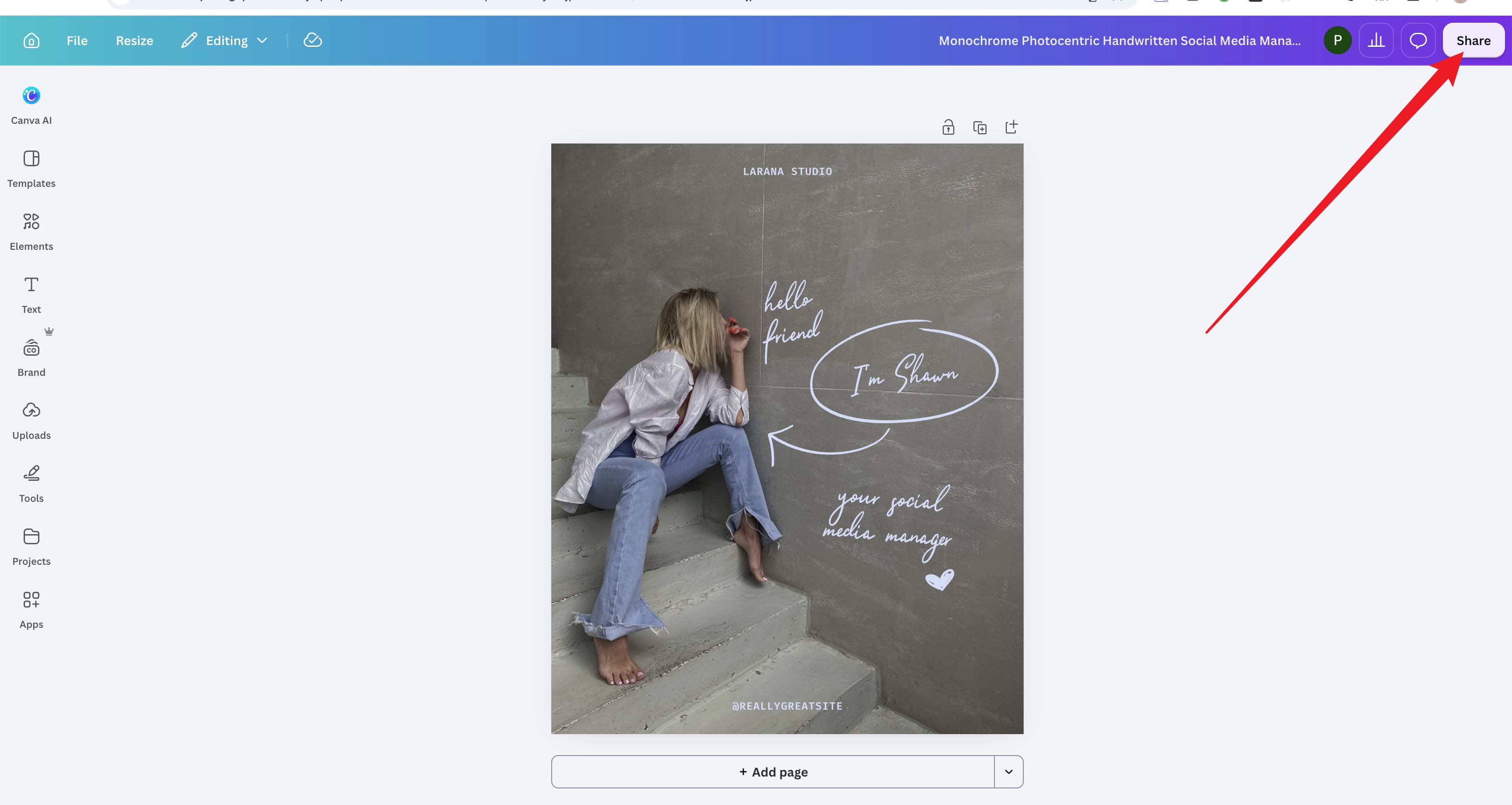
  1. Open your design and click Share

    Canva editor with a red arrow pointing to Share in the top-right corner.
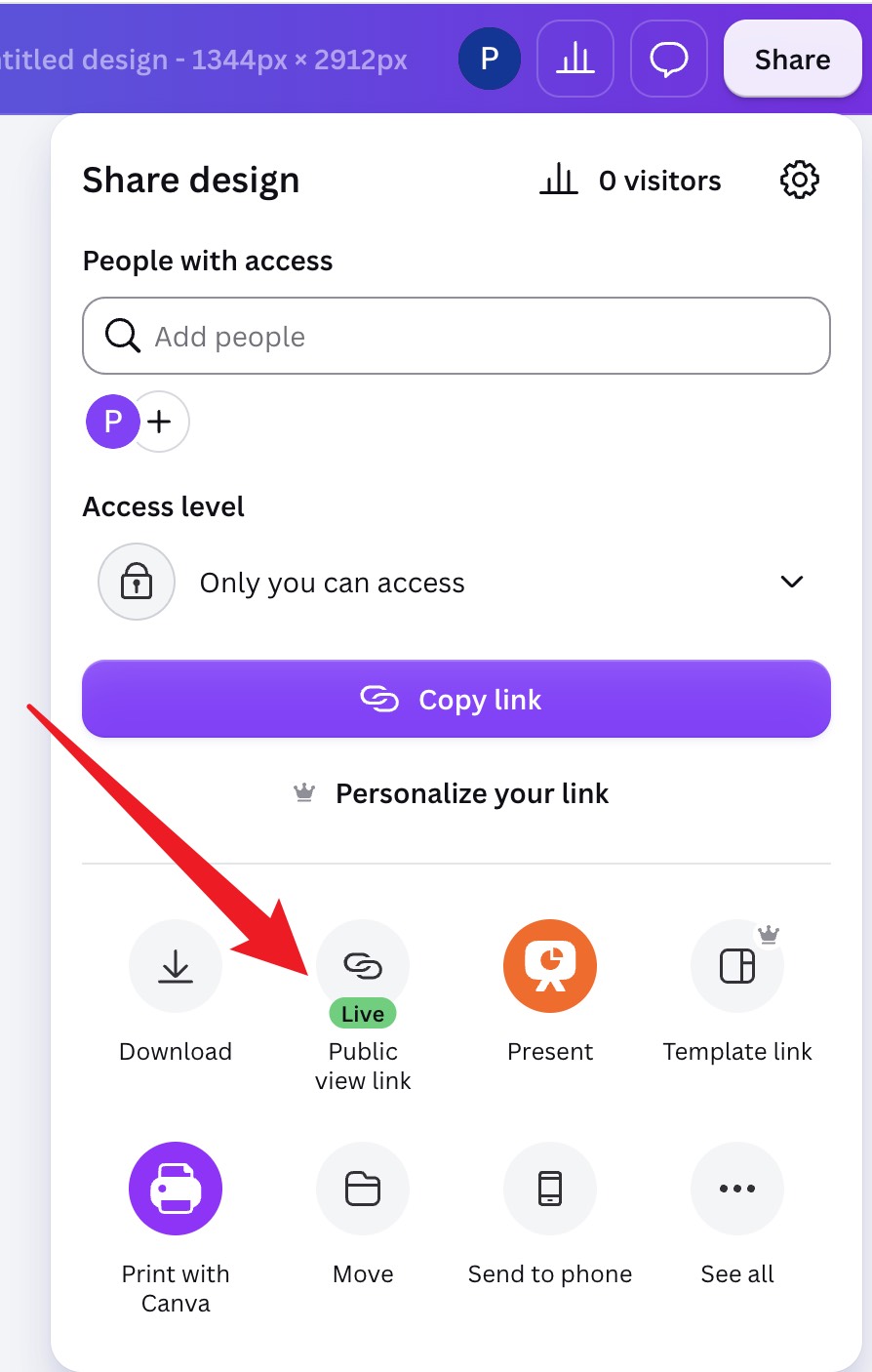
  2. Select Public view link

    Canva Share menu with a red arrow pointing to Public view link.
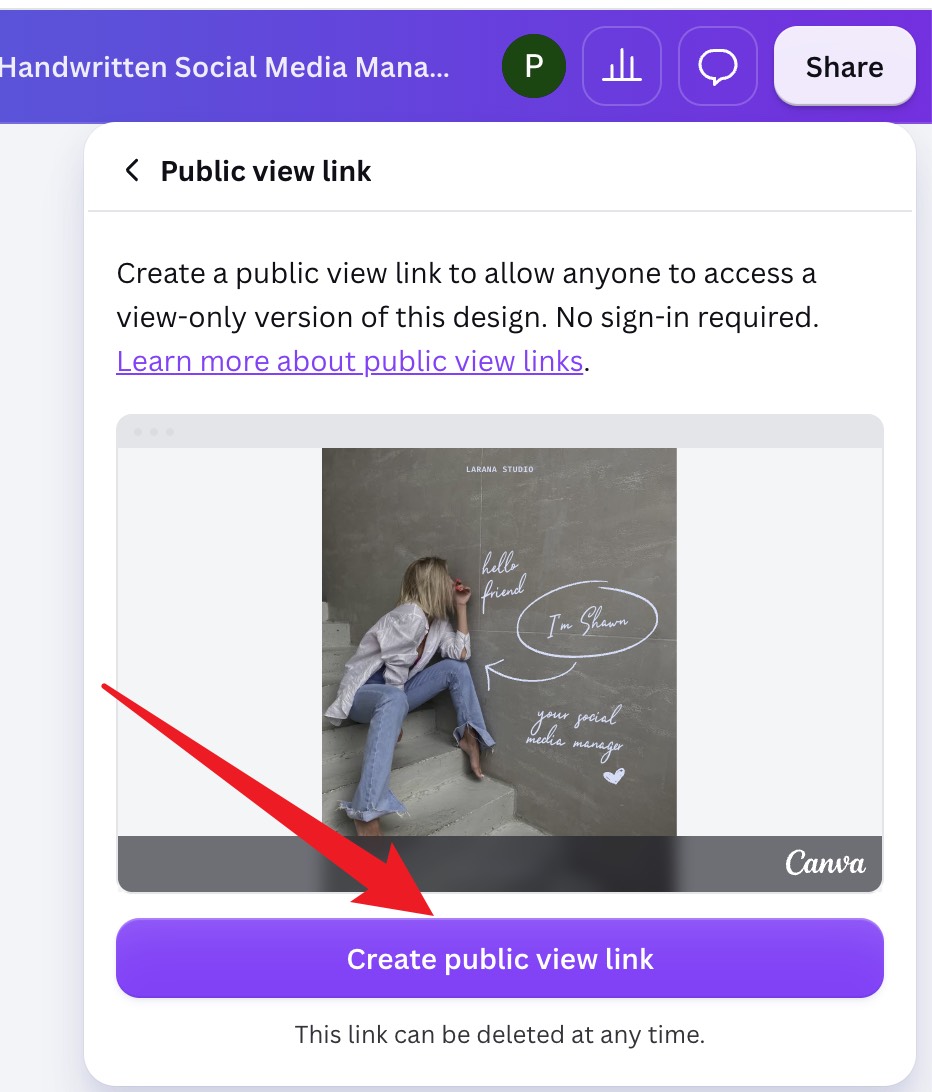
  3. Click Create public view link

    Public view link panel with a red arrow pointing to Create public view link.
  4. Copy the link and paste it here

    Click Copy, then paste the link into the Canva public view link field.
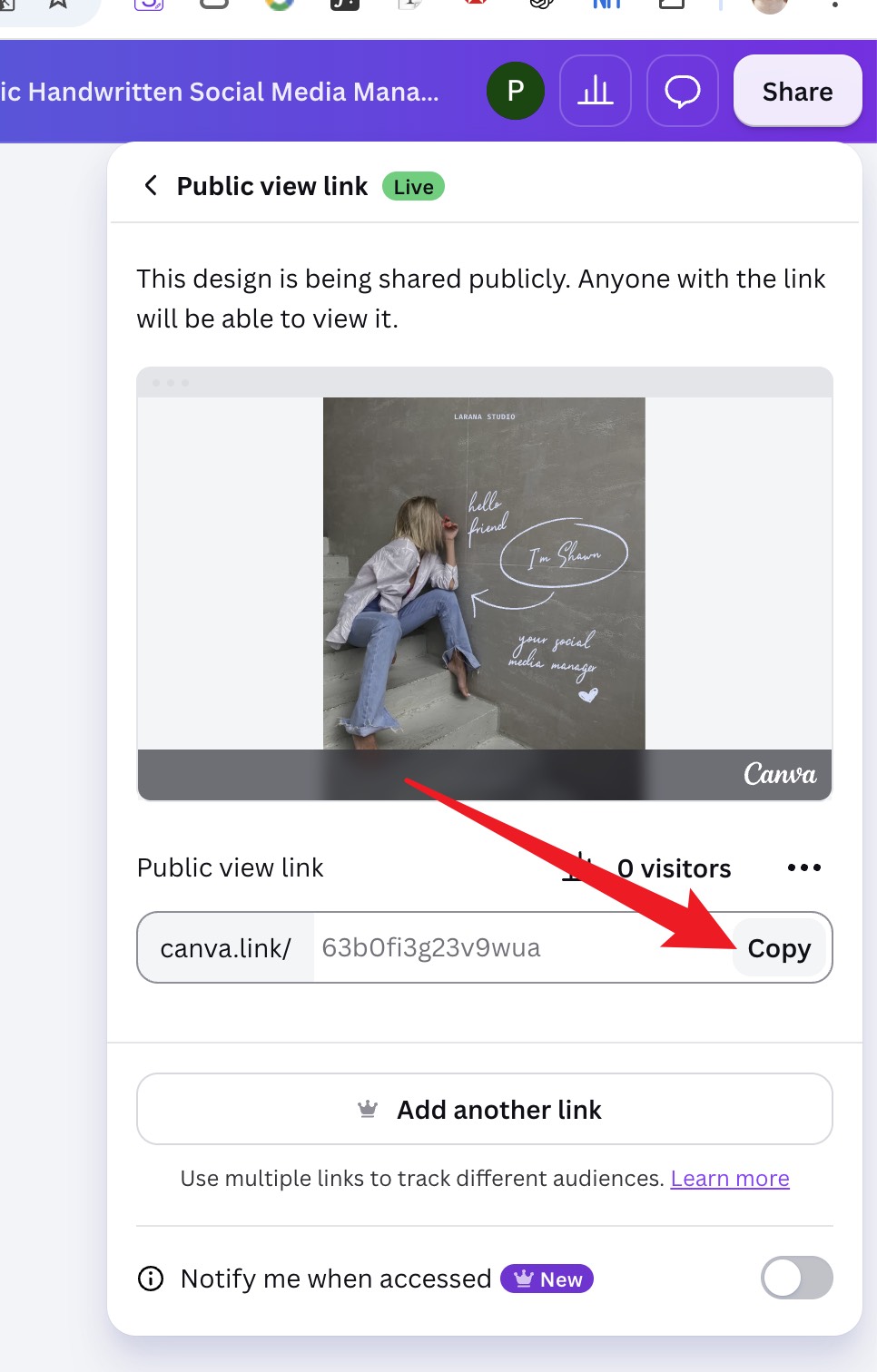
    Live Public view link panel with a red arrow pointing to Copy beside the generated link.